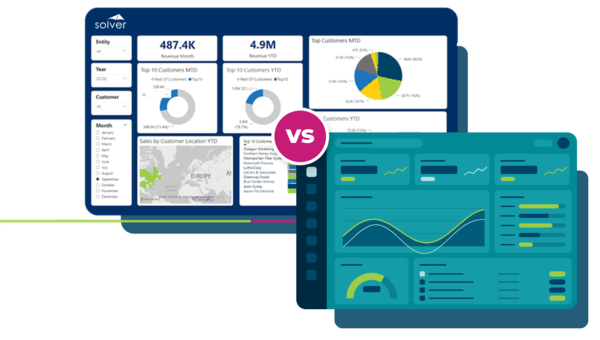
Solver vs. Vena: Mid-Market FP&A Comparison
Evaluating financial planning and analysis (FP&A) software requires balancing marketing promises with modeling reality. Mid-market finance leaders face a clear choice: how fast a first live report lands, whether modeling depth keeps pace with growth, and who owns the system day-to-day without ballooning costs.
Compare Architectural Foundations and Deployment Speed
Toronto-based FP&A provider founded in 2011 and built for upper mid-market deployments using an Excel front end over an online analytical processing (OLAP) cube (CubeFLEX) on Amazon Web Services (AWS)
An AI-accelerated FP&A solution built on a unified relational SQL database rather than a proprietary cube, with Solver Copilot for easy analysis.
Solver connects directly to the enterprise resource planning (ERP) and other important data sources an organization already runs on. Patented QuickStart deployment enables immediate access to a collection of tailorable industry templates, allowing finance and management users to optimize their planning, reporting, consolidation, and analysis processes.
Feature-by-Feature FP&A Comparison
| Vena | Solver | |
|---|---|---|
|
Foundation |
Vena relies on an Excel front end over an OLAP cube (CubeFLEX) on AWS.
|
Solver operates on a unified relational SQL database on Azure, with zero separate cube complexity.
|
|
Scalability |
Vena targets upper mid-market enterprise growth.
|
Solver handles complex mid-market modeling, including multi-entity consolidation, without forcing organizations into enterprise overhead.
|
|
Implementation |
Vena cites value in as little as six to eight weeks; full timelines depend on scope.
|
QuickStart connectors deliver the first live report in days.
|
|
Integration |
Vena offers broad Microsoft connectivity via F&O and Fabric connectors.
|
Solver provides pre-built QuickStart connectors for multiple top mid-market ERPs with ready-to-use base reports, dashboards, and budgeting models. Beyond QuickStart, Solver includes integrations for other key business data and systems to provide a single source of truth. View all integrations.
|
|
User Experience |
Vena uses an Excel interface over a cube model via writeback.
|
Native Excel formulas over relational SQL preserve modeling depth without cube limits. Solver Copilot’s Analysis Agent adds anomaly detection, trend identification, and root cause analysis.
|
|
Pricing |
Vena prices for the upper mid-market. Export APIs cost extra on both plans, and Insights, Sandbox, and Premium Support cost extra on Professional
|
Solver provides all-inclusive pricing across planning, reporting, consolidation, analysis, and data warehousing.
|
|
Best Fit |
Vena suits teams prioritizing Microsoft Fabric-centered rollouts.
|
Solver suits mid-market finance teams who want to extend analysis beyond the finance department for analysis and data consolidation.
|
Go Live in Days, Not Months
Vena
Fabric-native connectors offer value, but onboarding is a configuration project; Vena cites value in six to eight weeks rather than day-one output.
Solver
Stop waiting months for visibility. QuickStart connectors ensure initial reports are ready in days, not months. Finance maintains reports in native Excel formulas, with no cube administrator and less reliance on consultants or IT.
“We no longer need to manually build, edit, blend, and upload multiple Excel workbooks. Now, individual business users can input their own department data into one central template... providing a clear view from top to bottom.”
Finance ERP Project Manager, The Associated Jewish Community Federation of Baltimore, Inc.
Connect Core Systems Without Complexity
Vena
Vena offers broad connectivity through native connectors, Microsoft Fabric connectors, and Power BI options.
Solver
Solver offers multiple, pre-built connectors for ERP, CRM, and other key data source integrations through the data warehouse and Microsoft Fabric, linking seamlessly to both Power BI and Tableau.
Maintain Modeling Depth in a Native Excel Environment
Vena
The interface lives in Excel, preserving a familiar environment. Behind that window sits an OLAP cube (CubeFLEX) that can limit how complex reports scale.
Solver
Design reports using native Excel formulas over a relational SQL database rather than a rigid cube. Deep modeling scales with the business, with flexible dimensions and minimal retraining, because your team already works in Excel.
Why Finance Teams Call Solver a Leader in FP&A
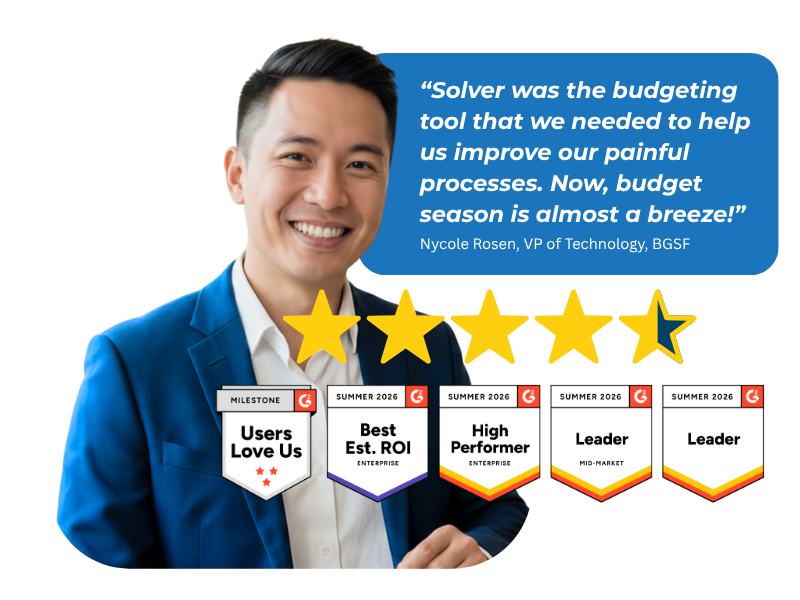
G2 users recognize Solver as a Leader for financial planning and analysis, with finance professionals across nonprofit, manufacturing, distribution, and dozens of other industries relying on it daily. Whether you're a mid-market team or a global enterprise, Solver gives you one platform to budget, report, consolidate, and analyze with confidence. Nycole Rosen, VP of Technology at BGSF, put it plainly: "Now, budget season is almost a breeze."
Predictable FP&A Investment
| Cost factor (Pricing model) | Vena (Custom quote) | Solver (Custom quote) |
|---|---|---|
|
What's included |
Two plans: Professional and Complete. Vena Insights, Sandbox, Premium Support and Expert Managed Services are included in Complete and cost extra on Professional. Export APIs cost extra on both plans.
|
Full suite: planning, reporting, consolidation, analysis, data warehouse, and Solver Copilot AI.
|
|
Time to first reports |
Value in 6 to 8 weeks
|
Days with Solver QuickStart integration templates
|
|
Ongoing maintenance |
OLAP cube architecture
|
SQL-based, managed by finance; no OLAP cube maintenance
|
|
Data storage |
Not published
|
30GB included
|
|
BI connections |
Power BI through Vena Insights
|
Power BI and Tableau
|
Are there hidden costs with Solver?
Solver’s pricing covers the full platform: planning, reporting, consolidation, analysis, and a data warehouse with 30GB of storage. Planning and reporting modules aren’t sold as add-ons. Three things keep costs down after go-live:
-
Pre-built templates. For Microsoft Dynamics 365 Business Central, Dynamics 365 Finance and Operations, Sage Intacct, and Acumatica, QuickStart includes pre-built reports, dashboards, and budget forms from day one. The Solver Marketplace adds ready-to-use planning templates and more than 50 Power BI dashboards.
-
Excel-based report design. Finance teams build and change reports in Excel with native formulas. There’s no proprietary formula language to learn, and no need to call a consultant for every change.
-
Finance-owned maintenance. Solver runs on a SQL database, so there are no OLAP cubes to rebuild when dimensions change.
Comparing Vena Alternatives?
Solver vs. Vena | Frequently Asked Questions
-
What is Vena?
Vena is a Toronto-based FP&A tool founded in 2011, featuring an Excel front end on an OLAP cube and focusing on upper mid-market Microsoft ecosystems. Its Excel familiarity and Microsoft alignment are genuine strengths.
-
How does Solver compare to Vena?
Solver’s platform runs on a unified relational SQL database rather than an OLAP cube. QuickStart deployment delivers ready-to-use reports from day one, with deep, scalable modeling, native Excel formulas, minimal retraining, and a single platform for planning, reporting, consolidation, and analysis.
-
What AI capabilities does Solver offer compared to Vena?
Solver Copilot AI functionality is included with each Standard User license. The Help Agent gives instant answers to product questions, and the Analysis Agent handles anomaly detection, trend identification, root cause analysis, and predictive recommendations. It’s built on Azure OpenAI, and user input never trains the model. Solver’s relational SQL architecture also gives AI direct access to clean, structured and governed data, without an OLAP cube in between. Vena offers Vena AI, including Vena Copilot inside Microsoft Teams, for forecasting and what-if scenarios.
-
How long does implementation take compared to Vena?
QuickStart integrations deliver the first live report in days rather than forcing the team into a multi-month configuration project.
-
Does the finance team need IT to own the system?
No. With a relational SQL foundation, there’s no proprietary cube for IT to maintain, so finance teams can build and update reports themselves. As Desert Schools’ Controller put it: “The Solver System is very easy to use. It’s mostly point and click, and even non-technical people are able to write reports.
-
Which ERPs and BI tools does each connect to?
QuickStart covers Microsoft Dynamics 365 Business Central, Microsoft Dynamics 365 Finance, Sage Intacct, and Acumatica, connecting to both Power BI and Tableau, in additional to other important data sources, like Microsoft Fabric, for a single source of truth. Vena offers connectors for leading ERP and CRM systems, Microsoft Fabric connectors, and Power BI through Vena Insights.
-
What changed with Vena's acquisition of Acterys?
In 2026, Vena acquired Acterys, a Power BI write-back planning tool, to create what Vena calls “Orchestrated Planning” for the Microsoft ecosystem. Mid-market buyers should ask how combining the two products affects pricing, roadmap, and support for their team.