AI-Accelerated SAP Business One Integration for Finance Teams
SAP Business One offers native financial reporting and basic budgeting, but growing finance teams soon outgrow it and fall back on manual Excel models. Solver's AI-accelerated xFP&A solution connects SAP Business One on SQL to one cloud platform for reporting, budgeting, forecasting, and analysis, giving finance teams a single source of truth across every report, plan, and data source.
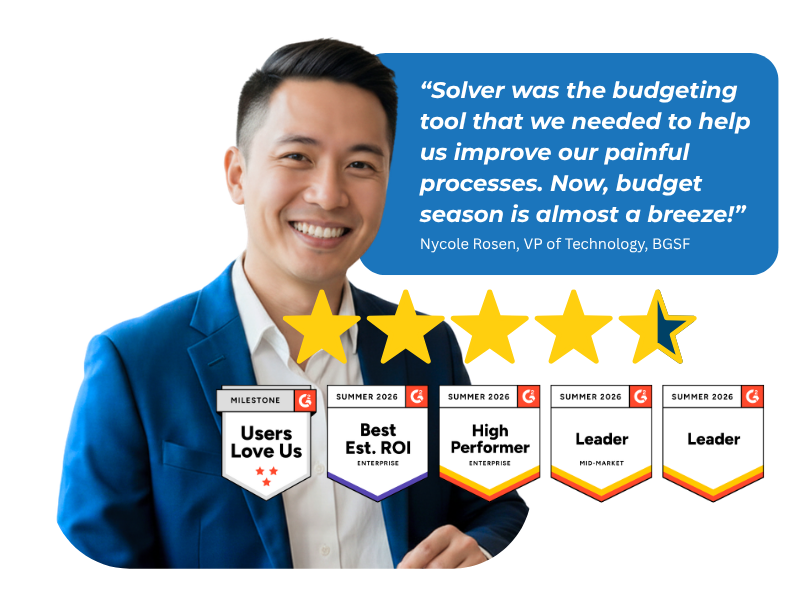
Based on customer reviews on
![]()
A Secure Path from Your SQL Database to Solver
SAP Business One on SQL runs on-premises or in a hosted environment. Solver connects to it through the Solver Gateway and a set of provided SQL views, so your team can create integrations quickly without building a custom connector.
Solver Gateway
The Solver Gateway is a desktop application installed on a machine inside your network. It securely connects Solver to SAP Business One data behind your firewall and runs automated integrations that upload that data into Solver.
Provided SQL Views
Out-of-the-box SQL views give your team a ready starting point for mapping SAP Business One data to Solver. Use them to stand up integrations quickly and bring in both general ledger and sub-ledger data.
Take the SAP Business One Tour
Solver is built for SAP Business One planning, reporting, and analysis. In this in-depth video series, learn what Solver offers and how the QuickStart integration for SAP Business One accelerates better decisions.
Why SAP Business One Teams Add Solver
Beyond Native Reporting
Go past the built-in financial reports in SAP Business One with formatted GL and sub-ledger reports your stakeholders can act on.
Out of Manual Excel Models
Replace disconnected spreadsheets with budget forms that stay tied to your ERP data.
Plans Built on Drivers
Base budgets and forecasts on the business drivers behind your numbers instead of static totals.
Ready for Market Shifts
Model scenarios and run simulations so your team can respond quickly when conditions change.
Every Key Source in One Tool
Bring SAP Business One and your other key data sources together for unified reporting and analysis
Insight Across the Business
Share graphs and dashboards across your organization so every decision starts from the same numbers.
When Native ERP Tools Stop Keeping Up
Growth Changes the Finance Workload
SAP Business One handles core financial reporting and basic budgeting well. As companies grow, finance teams start rebuilding reports in Excel, copying data by hand, and reconciling versions that drift away from the ERP. Teams moving from another xFP&A tool often face the same issue when that tool sits loosely on top of Business One. Solver closes the gap by connecting SAP Business One data to one cloud platform, where reporting, planning, and analysis run from a single source of truth.
Reporting, Consolidation, Budgeting, and Analysis for SAP Business One
Every core finance workflow, running on the data your ERP already holds.
-
Financial Reporting
-
GL reports for SAP Business One
-
Sub-ledger reports and dashboards
-
Report design in the Solver Excel add-in
-
Advanced reporting for data-driven decisions
-
-
Consolidation
-
SAP Business One and other key data sources combined in a single tool
-
Streamlined reporting and analysis across consolidated data
-
Automated integrations through the Solver Gateway
-
-
Budgeting & Forecasting
-
Budget forms designed in the Excel add-in
-
Dynamic driver-based models
-
Automated budgeting and forecasting processes
-
What-if scenarios and simulations
-
-
Analysis
-
Graphs and dashboards that are easy to share
-
Insights accessible across the organization
-
Scenario comparisons to find the most effective financial strategy
-
Why Finance Teams Call Solver a Leader in FP&A
G2 users recognize Solver as a Leader for financial planning and analysis, with finance professionals across nonprofit, manufacturing, distribution, and dozens of other industries relying on it daily. Whether you're a mid-market team or a global enterprise, Solver gives you one platform to budget, report, consolidate, and analyze with confidence. Nycole Rosen, VP of Technology at BGSF, put it plainly: "Now, budget season is almost a breeze."
Solver for SAP Business One | Frequently Asked Questions
-
What does Solver add to SAP Business One?
Solver adds extended financial planning and analysis (xFP&A) to SAP Business One on SQL. Finance teams get GL and sub-ledger reporting, driver-based budgeting and forecasting, what-if scenario modeling, and shareable dashboards on one cloud platform. Solver is a common next step when companies outgrow the native reporting and basic budgeting in Business One.
-
How is Solver different from Excel for SAP Business One reporting and budgeting?
Manual Excel models rely on exported data that must be updated and reconciled by hand. Solver keeps the Excel design experience your team knows through its Excel add-in, but connects reports and budget forms to SAP Business One data through automated integrations. Your team works from a single source of truth instead of disconnected workbooks.
-
How does Solver connect to SAP Business One?
Solver connects to SAP Business One on SQL through the Solver Gateway, a desktop application installed on a machine inside your network. The Gateway securely reaches data behind your firewall, and provided SQL views help your team create integrations quickly. Automated integrations then upload SAP Business One data into Solver for reporting and planning.
-
Can Solver report on SAP Business One sub-ledger data?
Yes. Solver supports both general ledger and sub-ledger reports and dashboards for SAP Business One. Finance teams can design these reports in the Solver Excel add-in and share results across the organization, giving stakeholders the detail behind each balance without building separate spreadsheets for every request.
-
Can Solver combine SAP Business One data with other data sources?
Yes. Solver consolidates your key data sources into a single tool for streamlined reporting and analysis. SAP Business One data can sit alongside data from other systems, so your team can build reports, budgets, forecasts, and dashboards that reflect the full picture of the business.
-
How long does it take to set up Solver for SAP Business One?
The Solver Gateway and provided SQL views are designed to help your team create SAP Business One integrations quickly. Your overall timeline depends on the data sources, reports, and planning models in scope. Your Solver team or implementation partner will confirm a timeline during scoping.