AI-Accelerated Acumatica Integration for Finance Teams
Solver connects to Acumatica to give finance teams one cloud platform for planning, reporting, consolidation, and analysis. Design reports and budget forms in a familiar Excel add-in, deploy with QuickStart in days instead of months, and give every stakeholder a single source of truth across every entity.
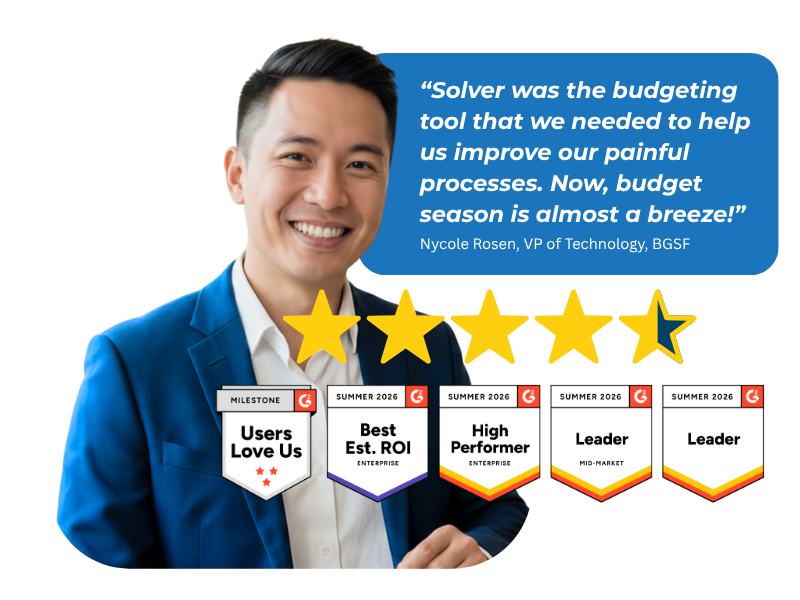
Based on customer reviews on
![]()
Built for Acumatica, Certified by Acumatica
Solver is an Acumatica Certified application for planning, reporting, and analysis. Solver has passed Acumatica's business value and technical requirements and is sold by Acumatica through its Value Added Resellers (VARs), giving your team a vetted, trusted integration from day one.
.png?width=1000&height=333&name=acumatica_badge%20(1).png)
What Acumatica Finance Teams Need from an xFP&A Solution
A single source of truth you can trust
Consolidate Acumatica with every other data source into one accurate, audited view, and remove the manual spreadsheet reconciliation that erodes trust in the numbers.
Multi-entity reporting without the workarounds
Build GL and sub-ledger reports and dashboards that scale across entities and subsidiaries without fragile formulas or manual fixes.
Driver-based forecasting, not static spreadsheets
Automate budgeting and forecasting with dynamic, driver-based models that adjust as your business changes, instead of rebuilding a workbook every cycle.
An Excel design experience your team already knows
Design reports and budget forms in Solver's native Excel add-in, then deliver them through a scalable web portal so business users never touch a raw workbook.
Solver Copilot AI in every workflow
Get instant answers from the Help Agent and pattern detection from the Analysis Agent, built on a SQL star schema for fast, AI-ready access to your Acumatica data.
The Hard Part Isn't Getting Data Out of Acumatica.
It's What Happens Next.
Exporting a report is the easy part. The real work is building models that survive audits and staff turnover, reconciling the same numbers month after month, and giving every stakeholder, from budget owner to CFO, the same version of the truth. Solver was built for that work. A QuickStart data integration connects Acumatica to Solver, then gives finance teams one cloud platform for planning, reporting, consolidation, and analysis, with audit controls and a workflow and approval engine built in.
Every Acumatica Workflow Your Team Already Runs
Financial reporting. Consolidation. Budgeting and forecasting. Analysis. One connected platform.
-
Financial Reporting
-
Profit & Loss
-
Balance Sheet
-
Trial Balance
-
GL and sub-ledger reports and dashboards
-
Custom operational reports
-
-
Financial Consolidation
-
Multi-entity and multi-currency rollups
-
Built-in currency translation
-
Intercompany eliminations
-
Full audit trail on every change
-
-
Budgeting & Forecasting
-
Driver-based budget models
-
Rolling and scenario forecasts
-
Two-way data sync (budget writeback) with Solver
-
Workflow and approval engine for every budget cycle
-
-
Analysis
-
PowerBI or Excel dashboards
-
Solver Copilot AI: Help Agent and Analysis Agent
-
Trend and anomaly detection
-
Self-serve, on-demand answers for business users
-
-
Industries We Serve
-
Construction: Job-cost budgeting and project forecasting
-
Nonprofit: Fund-based budgeting and grant planning
-
Manufacturing: Production cost and capacity planning
-
Distribution: Inventory and demand-driven forecasting
-
Retail: Store-level budgets and seasonal planning
-
Healthcare: Census-based forecasts and labor planning
-
Finance: Multi-entity budgets and capital planning
-
SaaS: ARR forecasting and headcount planning
-
Why Finance Teams Call Solver a Leader in FP&A
G2 users recognize Solver as a Leader for financial planning and analysis, with finance professionals across nonprofit, manufacturing, distribution, and dozens of other industries relying on it daily. Whether you're a mid-market team or a global enterprise, Solver gives you one platform to budget, report, consolidate, and analyze with confidence. Nycole Rosen, VP of Technology at BGSF, put it plainly: "Now, budget season is almost a breeze."
Solver for Acumatica | Frequently Asked Questions
-
What is Solver's integration with Acumatica?
Solver connects to Acumatica through a QuickStart data integration, bringing GL and sub-ledger data into one AI-accelerated xFP&A solution. From there, finance teams design reports, budgets, and dashboards for planning, reporting, consolidation, and analysis, all inside a single cloud platform built around Acumatica data alongside any other source you connect.
-
How is Solver different from Acumatica's built-in reporting and budgeting tools?
Acumatica's native tools cover core transactional reporting, but growing finance teams often need more flexible modeling, multi-entity consolidation, and Excel-based design. Solver adds a dedicated xFP&A layer on top of Acumatica: driver-based budgeting, audited multi-entity rollups, and a familiar Excel add-in, so finance keeps full control without leaving the design experience it already knows.
-
What Acumatica data can Solver report on?
Solver reports on GL and sub-ledger data from Acumatica, including financial statements, trial balances, and operational detail across entities. That data can be combined with other sources in Solver's data warehouse, giving finance a single source of truth instead of stitching together separate exports for every audience.
-
How does Solver connect to Acumatica?
Solver connects to Acumatica through a QuickStart data integration, a rapid deployment method built specifically for Acumatica customers. QuickStart brings the most common financial data into Solver in a few clicks, with the ability to add business-specific data as reporting and planning needs grow.
-
How long does it take to implement Solver for Acumatica?
Because Solver uses a QuickStart integration built for Acumatica, most customers are up and running in days rather than months. Solver is also an Acumatica Certified application sold through Acumatica's Value Added Reseller network, so implementation follows a proven, repeatable path rather than a custom build.
-
How does Solver Copilot AI work with Acumatica data?
Solver Copilot AI works directly on Acumatica data once it is inside Solver. The Help Agent gives instant answers to product and application questions, while the Analysis Agent surfaces trends, anomalies, and predictive recommendations, all built on a SQL star schema designed for fast, AI-ready access.