

Solver-markedsplads
Udforsk efter funktionalitet (rapporter, planlægning og dashboard-skabeloner), eller brug søgefunktionen til at filtrere efter integration, branche eller for at finde en skabelon, der passer til dine specifikke behov. Gem skabeloner på din favoritliste, og brug linket »Del favoritter« til at dele listen med andre.
Ikonforklaring:
💲 Kræver konsulenttimer til opsætning og konfiguration
⭐ Gem som favorit og del med andre
FUNCTIONALITY
- Reports
- Planning
- Dashboard
Data Source
Marketplace Data Source: Filter by Data Source to find assets specific to your system
Showcase Data Source: Filter by Data Source to find assets specific to your system
Industries
Marketplace Industries: Filter by Industries to find assets specific to your system
Showcase Industries: Filter by Industries to find assets specific to your system
industries
Marketplace Industries: Filter by your industry to find assets created for your specific needs
Showcase Industries: Filter by your industry to find assets created for your specific needs
541 - 546 of 868 Results
Favorite Page Results
Favorites
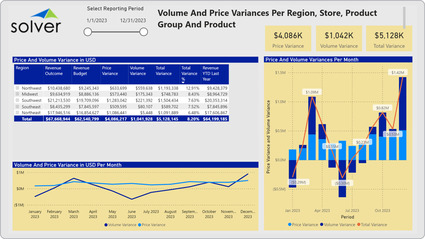


Dashboard
Retail – Volume & Price per Region and Store
Sales Dashboards with store and product detail are considered sales analysis tools and are used by regional managers and product managers to analyze the main reasons store/region and item sales are above or below budget.
$
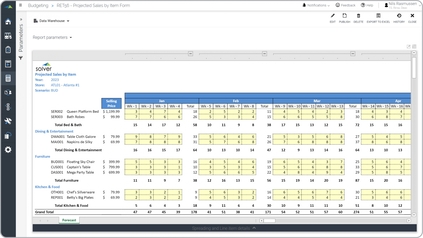
Planning
Retail – Weekly Sales Forecast
A key functionality template allows the sales manager to automatically generate sales per sales person based on break-back of the full year sales target. Next, manual adjustments can be made at the row level to apply relevant exceptions.
$
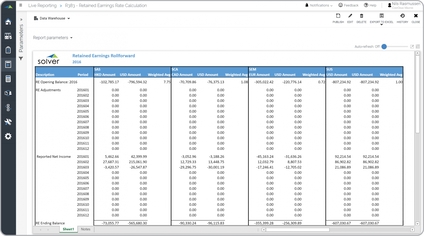
Reports
Retained Earnings Report
Some of the key functionality calculates the required currency translation rate for the Retained Earnings (RE) opening balance at the beginning of the new fiscal year.
$
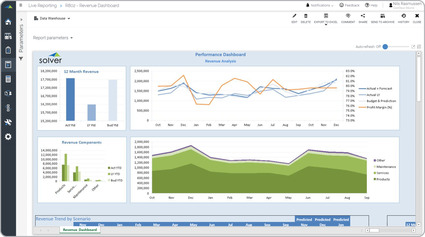
Reports
Revenue – Rolling Trend Analysis
A key functionality report dynamically displays the past 15 months of revenues. It also shows column charts for the current fiscal year compared to last year and budgets. Furthermore, it displays a ranked list of each major revenue component.
$
Dashboard
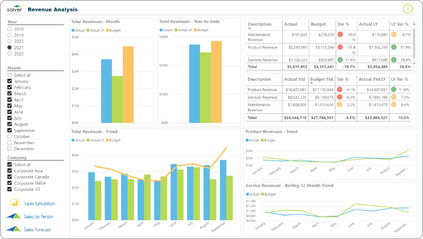
Revenue Analysis
Power BI dashboard showing analysis of actual and budget revenues by month and trended.
$
Reports
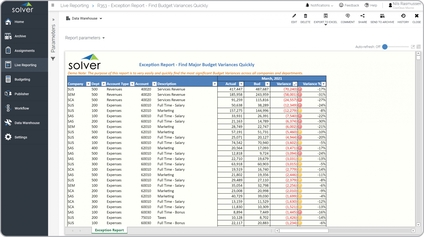
Revenue and Expense Exception Report
It shows all key GL dimensions in the rows with their monthly balance for actual, budget and variance. This allows the user to see across all companies, departments and accounts in one single report.
$