AI-Accelerated Microsoft Dynamics SL Integration for Finance Teams
Solver extends Microsoft Dynamics SL with budgeting, forecasting, reporting, consolidation, and analysis on one cloud platform. Report live from your SL database with Hybrid reporting or move SL data into Solver with Solver Gateway, then give finance and operational leaders a single source of truth to act on.
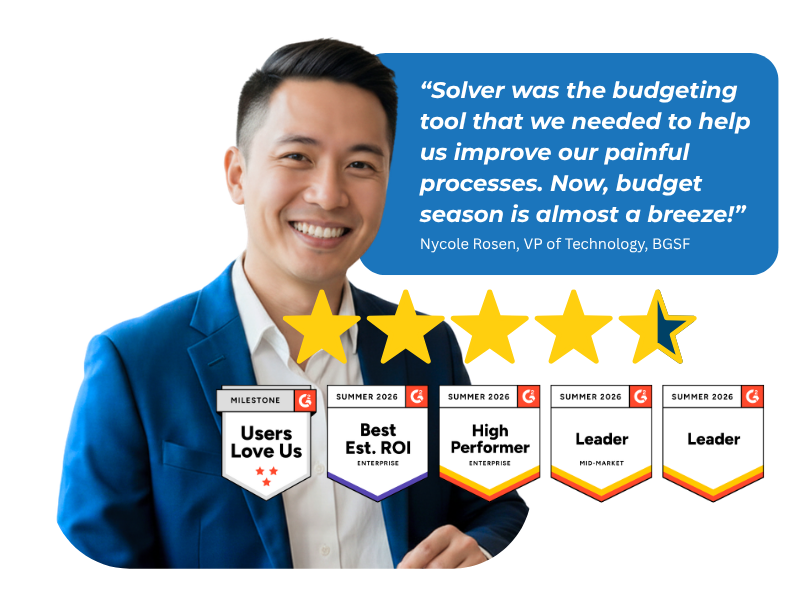
Based on customer reviews on
![]()
Built for Dynamics SL, Connected Your Way
Solver is built for Microsoft Dynamics SL, with two connection options shaped around how your team works. Report live against your on-premises or hosted SL database, or move SL data into a dedicated Solver environment so reporting and planning run without adding load to your production system. Find Solver in the Microsoft Marketplace.
Live Reporting with Hybrid
Hybrid reporting connects Solver Cloud directly to your on-premises or hosted Microsoft Dynamics SL database. Report designers build income statements, balance sheets, and management reports in Excel that read SL data live, so each report reflects your current ledger every time it runs.
Dedicated Data with Solver Gateway
Solver Gateway moves Microsoft Dynamics SL data out of your production system and into Solver, a dedicated environment for reporting, budgeting, forecasting, and dashboards. Your ERP stays focused on transactions while finance works from SL data stored beside your other sources in the Solver data warehouse.
Take the Microsoft Dynamics SL Tour
Explore an in-depth video series on Solver's capabilities and how the QuickStart integration for Microsoft Dynamics SL helps finance teams make better decisions.
What Solver Adds to Your Dynamics SL Environment
Excel Skills, Connected Data
Design reports and budget forms in Solver's Excel add-in, linked to SL data instead of copied exports.
GL and Sub-Ledger Visibility
Build general ledger and sub-ledger reports and dashboards for Dynamics SL without rebuilding them each period.
Every Source in One Tool
Bring SL and your other key data sources together in one tool for streamlined reporting and analysis.
Automated Budget Cycles
Replace manual budgeting and forecasting work with dynamic, driver-based models and automated approvals.
Scenarios Before Decisions
Model what-if scenarios and run simulations to test financial strategies before you commit resources.
Insight Beyond Finance
Share clear graphs and dashboards so leaders across the organization can act on SL data.
Where Native SL Reporting Reaches Its Limits
Outgrowing Manual Excel Models
Dynamics SL includes native financial reporting, and many finance teams fill the gaps with Excel models built by hand. As the business grows, those models multiply, versions drift, and month-end reporting stretches longer. Solver connects to SL data through Hybrid reporting or Solver Gateway and adds an AI-accelerated xFP&A solution on top, so budgets, forecasts, consolidations, and reports run from a single source of truth with every change tracked.
Planning, Reporting, Consolidation, and Analysis for Dynamics SL
One connected workflow, from the general ledger to the boardroom.
-
Financial Reporting
-
Income statements, balance sheets, and management reports from SL data
-
General ledger and sub-ledger reports and dashboards
-
Live reporting from the SL database with Hybrid reporting
-
Report distribution to business users through a web portal
-
-
Consolidation
-
Multi-entity rollups across SL companies
-
Multi-currency translation
-
Intercompany eliminations
- Audit trail on every adjustment
-
-
Budgeting & Forecasting
-
Dynamic, driver-based budget and forecast models
-
What-if scenarios and simulations
-
Unlimited budget versions
-
Workflow routing and approvals
-
-
Analysis
-
Dashboards in Excel or Power BI
-
Trend analysis and anomaly detection with the Analysis Agent
-
Self-serve insights for department leaders
-
-
Industries We Serve
-
Distribution: Multi-country income statements and cost-control reporting
-
Construction: Job and project reporting from SL ledger data
-
Why Finance Teams Call Solver a Leader in FP&A
G2 users recognize Solver as a Leader for financial planning and analysis, with finance professionals across nonprofit, manufacturing, distribution, and dozens of other industries relying on it daily. Whether you're a mid-market team or a global enterprise, Solver gives you one platform to budget, report, consolidate, and analyze with confidence. Nycole Rosen, VP of Technology at BGSF, put it plainly: "Now, budget season is almost a breeze."
Ready to Connect Solver to Dynamics SL?
Solver for Microsoft Dynamics SL | Frequently Asked Questions
-
What does Solver add to Microsoft Dynamics SL?
Solver adds extended financial planning and analysis (xFP&A) to Microsoft Dynamics SL. It connects SL data with other financial and operational sources on one cloud platform, so finance teams can build budgets and forecasts, consolidate entities, publish reports, and analyze results from a single source of truth that reaches beyond the finance department.
-
How is Solver different from Excel for Dynamics SL reporting?
Solver keeps the Excel design experience your team knows and removes the manual steps around it. Reports and budget forms connect to Microsoft Dynamics SL data instead of exported files. Budget input moves through automated workflow and approvals, audit controls record every change, and business users view results in a web portal rather than in emailed workbooks.
-
Should I use Hybrid reporting or Solver Gateway with Dynamics SL?
Both give Solver access to Microsoft Dynamics SL data. Hybrid reporting connects Solver Cloud directly to your on-premises or hosted SL database for live reporting. Solver Gateway moves SL data into Solver, a dedicated environment that takes the reporting load off your production system. Your Solver team can help you choose the best fit during scoping.
-
What Dynamics SL data can Solver report on?
Solver supports general ledger and sub-ledger reports and dashboards for Microsoft Dynamics SL. Because Solver includes a data warehouse that supports unlimited data sources, you can also combine SL data with CRM, payroll, and other operational data. That gives finance and department leaders a complete view of performance in one place.
-
How long does it take to implement Solver for Dynamics SL?
The QuickStart integration for Microsoft Dynamics SL and ready-to-use templates are designed for rapid deployment. Your timeline depends on the connection method, the number of entities and data sources, and the custom models in scope. Your Solver team or implementation partner will confirm a timeline during scoping.
-
How does Solver Copilot AI work with Dynamics SL data?
Solver Copilot AI includes two agents. The Help Agent answers product and application questions. The Analysis Agent provides chart generation, anomaly detection, trend analysis, and predictive recommendations on data in Solver, including Microsoft Dynamics SL data. User input never trains the model. Solver Copilot is available in the United States.