AI-Accelerated CSV and Excel File Integration for Finance Teams
Not every source system offers an API, and some data needs work in Excel before it is ready for reporting. Solver's AI-accelerated xFP&A solution imports CSV and Excel files into one cloud platform for reporting, budgeting, forecasting, and analysis, giving finance teams a single source of truth across every file and system.
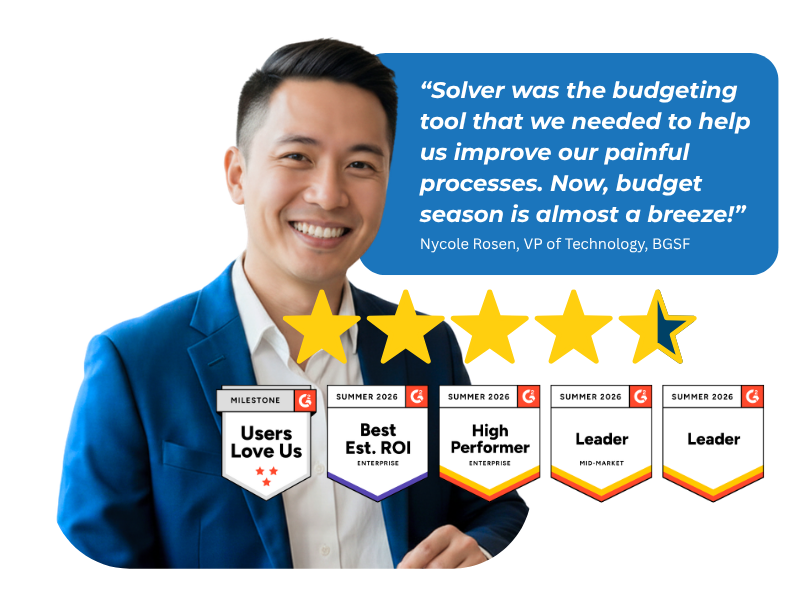
Based on customer reviews on
![]()
One-Time Imports or Ongoing File Connections
Solver supports data imports for Excel and CSV files, so data from systems without an API, or data you prepare in Excel first, can still reach your reports and plans. Choose the method that fits how often each file changes.
File Import Connector
Solver's File Import connector brings Excel (.xls, .xlsx, and .xlsm) and CSV (.csv) files into Solver. Use it for data from systems that do not offer an API or for data you transform in Excel before import.
Solver Gateway
For files your team maintains and updates on a regular basis, the Solver Gateway connects Solver to those files for a seamless integration. The Gateway is a desktop application installed inside your network that runs automated integrations into Solver.
Take the Solver Tour
Explore an in-depth video series on what Solver offers for planning, reporting, and analysis, and how bringing every data source into one platform helps your team reach better decisions sooner.
What File-Based Data Can Do in Solver
Data from Any Source
Bring in data from systems that do not offer an API, so no source sits outside your reporting.
Prep in Excel, Then Import
Transform data in Excel first when it needs cleanup, then import it into Solver.
Files That Stay Connected
Link files your team updates often through the Solver Gateway for a seamless integration.
One Tool for Every Source
Automate time-consuming budgeting and forecasting with dynamic driver-based models.
More accurate forecasts
Automate time-consuming budgeting and forecasting with dynamic driver-based models.
Insight Across Teams
Share easy-to-read graphs and dashboards that make insights accessible across your organization.
When Critical Data Lives Outside Connected Systems
Spreadsheets Fill the API Gap.
Many organizations rely on at least one system that does not offer an API. That data often reaches finance as CSV exports or Excel workbooks that are copied, cleaned, and pasted into reports by hand. Solver gives those files a direct path into one cloud platform, where they sit alongside your other key data sources and feed reporting, budgeting, and analysis from a single source of truth.
Reporting, Consolidation, Budgeting, and Analysis with CSV and Excel Data
File-based data, put to work across every core finance workflow.
-
Financial Reporting
-
Reports designed in Solver's Excel add-in
-
Advanced reporting for data-driven decisions
-
File data reported alongside other connected sources
-
-
Consolidation
-
CSV and Excel data combined with other key sources in a single tool
-
Streamlined reporting and analysis across combined data
-
Budgets, forecasts, and detailed reports managed in one place
-
-
Budgeting & Forecasting
-
Budget forms designed in the Excel add-in
-
Dynamic driver-based models
-
Automated budgeting and forecasting processes
-
Scenario modeling and simulations
-
-
Analysis
-
Dynamic what-if scenarios to test financial strategies
-
Easy-to-share graphs and dashboards
-
Insights accessible across the organization
-
Why Finance Teams Call Solver a Leader in FP&A
G2 users recognize Solver as a Leader for financial planning and analysis, with finance professionals across nonprofit, manufacturing, distribution, and dozens of other industries relying on it daily. Whether you're a mid-market team or a global enterprise, Solver gives you one platform to budget, report, consolidate, and analyze with confidence. Nycole Rosen, VP of Technology at BGSF, put it plainly: "Now, budget season is almost a breeze."
Ready to Connect Solver to Your CSV and Excel Files?
Solver for CSV and Excel Files | Frequently Asked Questions
-
What does Solver's CSV and Excel file integration do?
Solver's File Import connector lets finance teams bring Excel and CSV files into Solver's AI-accelerated xFP&A solution. Imported file data supports reporting, budgeting, forecasting, and analysis on one cloud platform, alongside your other key data sources. It is a practical option when source data sits in a system without an API or needs preparation in Excel first.
-
Which file types does Solver's File Import connector support?
Solver's File Import connector supports Excel files in .xls, .xlsx, and .xlsm formats and CSV files in .csv format. You can transform data in Excel before importing it, which helps when source data needs cleanup or restructuring before it is ready for reporting and planning in Solver.
-
When should I use the Solver Gateway instead of a file import?
Use the File Import connector for files you bring into Solver as needed. For files your team maintains and updates on a regular basis, the Solver Gateway connects Solver to those files for a seamless integration. The Gateway is a desktop application installed inside your network that runs automated integrations into Solver.
-
Can Solver combine CSV and Excel data with ERP and other data?
Yes. Solver consolidates your key data sources into a single tool for streamlined reporting and analysis. Data from CSV and Excel files can sit alongside ERP and other system data, so your team can build reports, budgets, forecasts, and dashboards that reflect the full picture of the business.
-
How is Solver different from managing CSV exports in Excel?
Managing exports in standalone workbooks means copying, reconciling, and re-sharing files by hand. Solver keeps the Excel design experience your team knows through its Excel add-in, but brings file data into one cloud platform with your other sources. Reports and budgets then draw from a single source of truth instead of disconnected spreadsheets.
-
Where can I find setup details for Solver's File Import connector?
Detailed setup guidance for the File Import connector is available in the Solver help center under File Import. Your Solver team or implementation partner can also help you decide which files to import directly and which to connect through the Solver Gateway during scoping.