

Solver-markedsplads
Udforsk efter funktionalitet (rapporter, planlægning og dashboard-skabeloner), eller brug søgefunktionen til at filtrere efter integration, branche eller for at finde en skabelon, der passer til dine specifikke behov. Gem skabeloner på din favoritliste, og brug linket »Del favoritter« til at dele listen med andre.
Ikonforklaring:
💲 Kræver konsulenttimer til opsætning og konfiguration
⭐ Gem som favorit og del med andre
FUNCTIONALITY
- Reports
- Planning
- Dashboard
Data Source
Marketplace Data Source: Filter by Data Source to find assets specific to your system
Showcase Data Source: Filter by Data Source to find assets specific to your system
Industries
Marketplace Industries: Filter by Industries to find assets specific to your system
Showcase Industries: Filter by Industries to find assets specific to your system
industries
Marketplace Industries: Filter by your industry to find assets created for your specific needs
Showcase Industries: Filter by your industry to find assets created for your specific needs
493 - 498 of 868 Results
Favorite Page Results
Favorites


Reports
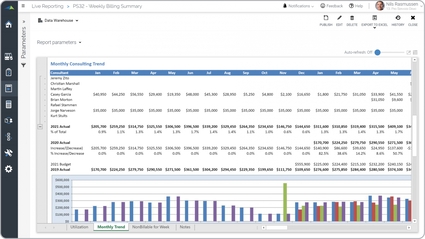
Professional Services – Monthly Billing Trend
It it can be run for any period and will dynamically display monthly data for the past five years as well as current year budget.
$
Planning
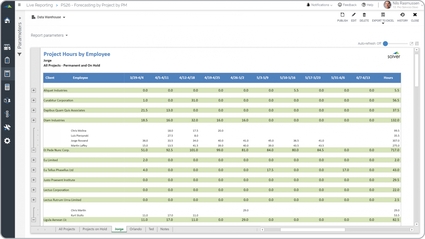
Professional Services – Project Forecast by Employee
Allows project managers to enter revenue and cost forecasts by employee and project directly in Solver. Supports billable utilization tracking and margin forecasting.
$
Reports
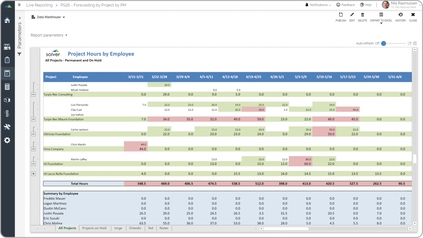
Professional Services – Project Forecast by PM
It dynamically displays hours by week across the columns and consultants grouped by project down the rows.
$
Dashboard
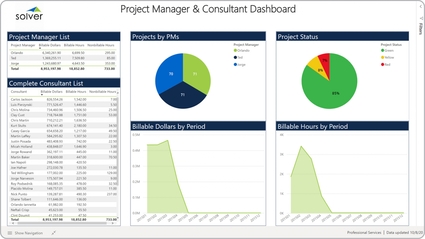
Professional Services – Project Manager and Consultants
It enables analysis of KPIs and other metrics from six different perspectives:.
$
Reports
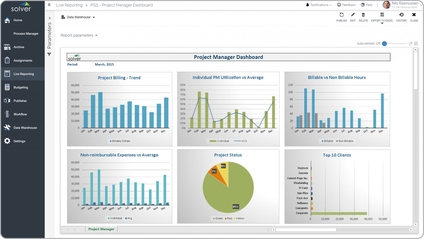
Professional Services – Project Manager Dashboard
It the user can run the report to get a snapshot of the current month or any historical period and all the data will update accordingly.
$
Reports
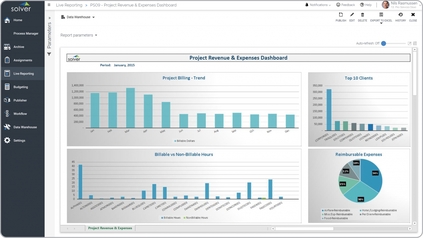
Professional Services – Project Revenue and Expenses
It is parameter driven and users can run it for any month and year to see relevant data. The four charts in the dashboards show:.
$