



 Add to favorite



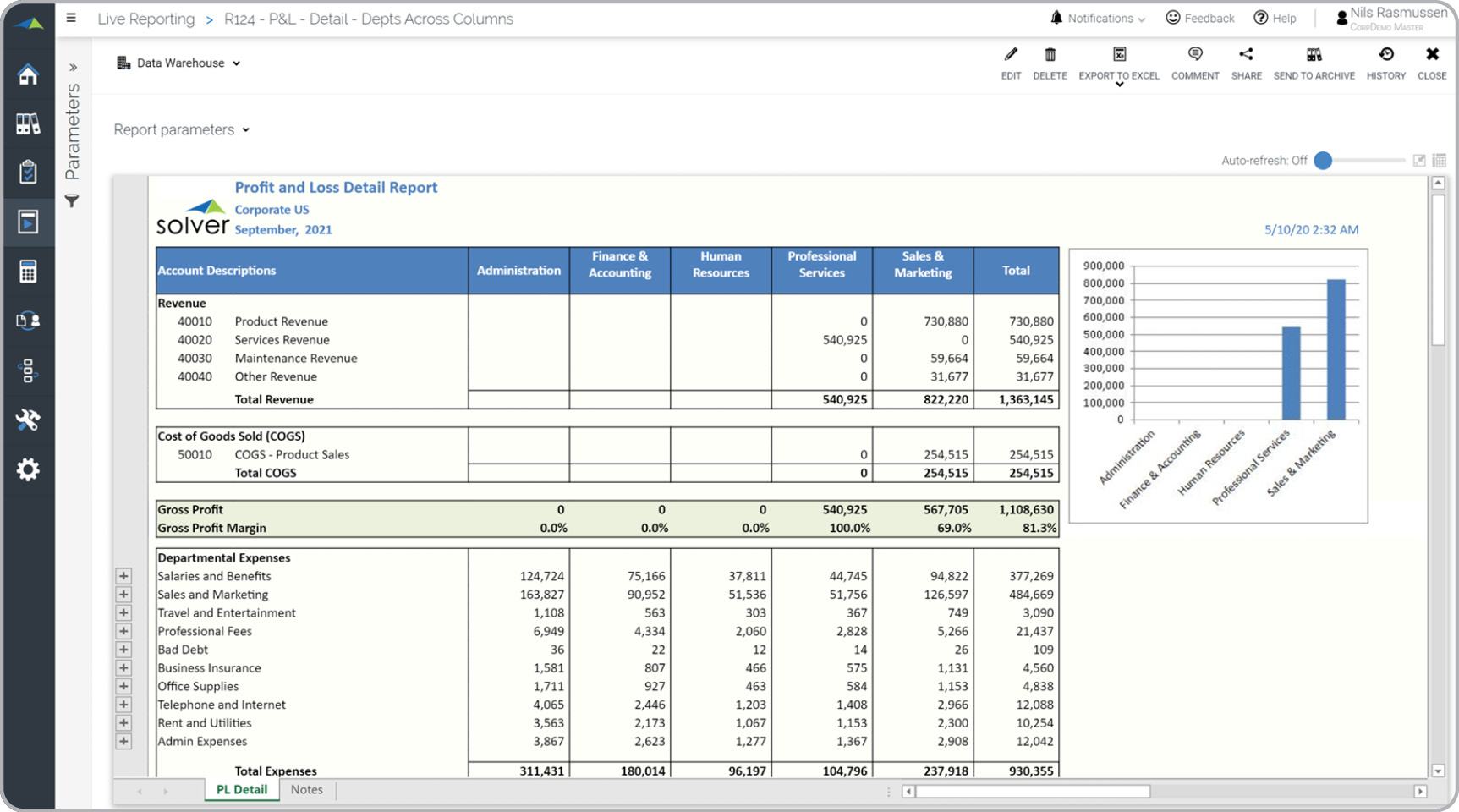
P&L – Departments in Columns
Purpose of Comparative Profit & Loss Reports Comparative Profit & Loss Reports serve the purpose of allowing companies and organizations to easily compare the performance of each department in terms of revenues and expenses. By using these reports as part of sound business practices within the Finance and Accounting Department, a company can enhance its analysis at the account level and minimize the risk of a department unknowingly deviating significantly from others, particularly in relation to specific expenses.
Benefits to Users Implementing a Profit & Loss Report with Department Comparisons offers significant advantages for business users. Firstly, it provides a clear and concise overview of departmental performance, enabling users to swiftly identify areas of strength and areas that require attention. By comparing revenues and expenses across departments, users gain valuable insights into which areas are thriving and which may need improvement. Moreover, these reports streamline reporting processes and boost efficiency in users' roles. Instead of manually aggregating data from multiple sources or generating separate reports for each department, users can rely on the automated functionality of the Profit & Loss Report with Department Comparisons. This time-saving feature allows users to focus on higher-value tasks and strategic initiatives, contributing to their overall productivity. In summary, implementing a Profit & Loss Report with Department Comparisons empowers business users to make better-informed decisions, improve departmental performance, and contribute to the overall success of the organization. By leveraging comparative insights and streamlining reporting processes, users can optimize their job functions, drive efficiency, and foster a data-driven culture within the organization.
Who Uses This Type of Report? The typical users of this type of report are: CFOs, Controllers and Accountants. Other Reports Often Used in Conjunction with Comparative Profit & Loss Reports Progressive Finance and Accounting Departments sometimes use several different Comparative Profit & Loss Reports, along with regular financial statements and other management and control tools.
Where Does the Data for Analysis Originate From? The Actual (historical transactions) data typically comes from enterprise resource planning (ERP) systems like: Microsoft Dynamics 365 (D365) Finance, Microsoft Dynamics 365 Business Central (D365 BC), Microsoft Dynamics AX, Microsoft Dynamics NAV, Microsoft Dynamics GP, Microsoft Dynamics SL, Sage Intacct, Sage 100, Sage 300, Sage 500, Sage X3, SAP Business One, SAP ByDesign, Acumatica, Netsuite and others. In analyses where budgets or forecasts are used, the planning data most often originates from in-house Excel spreadsheet models or from professional xFP&A solutions.
Only Solver delivers a one-day rapid deployment , including free and instant access to $100K of value available on Day 1 in the Solver Marketplace . Solver is committed to helping you with all your advanced planning and reporting needs, so you can Accelerate Better Decisions – starting now. Take a free tour of Solver for any of these ERPs:
- Solver for Microsoft Dynamics 365 Business Central
- Solver for Microsoft Dynamics 365 Finance
- Solver for Sage Intacct
- Solver for Acumatica
This Solver report template connects directly to your ERP data via the Solver Data Warehouse, enabling near real-time analysis with minimal setup. Designed for QuickStart deployment, it can be activated rapidly so your team can focus on analysis and decisions — not data preparation.
What is the P&L – Departments in Columns in Solver? The P&L – Departments in Columns is a pre-built xFP&A report template in Solver that delivers key financial and operational metrics in a single, easy-to-use interface, eliminating the need for manual data work or custom report development.
Who uses this Solver report template? This template is primarily used by CFOs, FP&A managers, and controllers who need accurate, timely reporting without manual data preparation. It is also valuable for department heads and business unit leaders who need periodic performance summaries.
Where does the data come from? Data is sourced automatically from your ERP system through the Solver Data Warehouse, which integrates with platforms such as Microsoft Dynamics 365 Business Central, Dynamics 365 Finance, Acumatica, Sage Intacct, and other leading ERP solutions. Once connected, the template updates in near real-time with no manual data entry required.
To learn more, visit the Resource Library.