AI-Accelerated Microsoft Fabric Integration for Finance Teams
Microsoft Fabric brings your organization's data together in OneLake, but finance still needs a way to plan, report, and consolidate on it. Solver's AI-accelerated xFP&A solution connects to Microsoft Fabric so finance and operations teams can build budgets, forecasts, and reports in a familiar Excel interface, on the same governed data that powers your analytics.
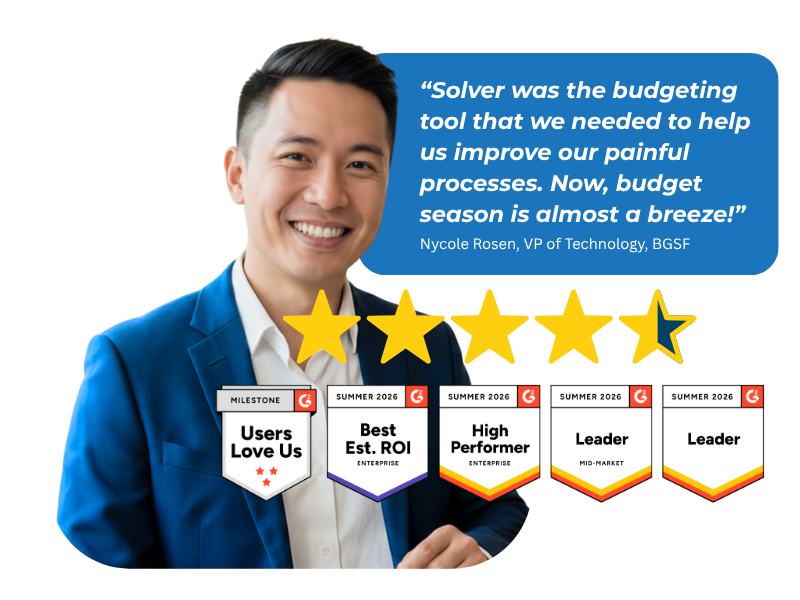
Based on customer reviews on
![]()
Built for the Microsoft Data Stack
Solver runs on Microsoft Azure, delivers a native Excel design experience, and works alongside Power BI and Microsoft Fabric.
If your organization brings Dynamics 365 Business Central data into Microsoft Fabric, Solver's Microsoft Fabric connector can bring that data into Solver for financial reporting, budgeting, and forecasting. Combine it with CRM, payroll, and operational data in OneLake for one source of truth across finance and operations. Find Solver in the Microsoft Marketplace.
What Microsoft Fabric Finance Teams Need from an xFP&A Solution
Governed data, ready for finance
Plan and report on the same trusted data your analytics teams already use in Microsoft Fabric, without maintaining separate exports.
A familiar Excel experience
Design reports and budget input forms in Solver's native Excel design experience, then share them through a secure web portal.
Every data source in one place
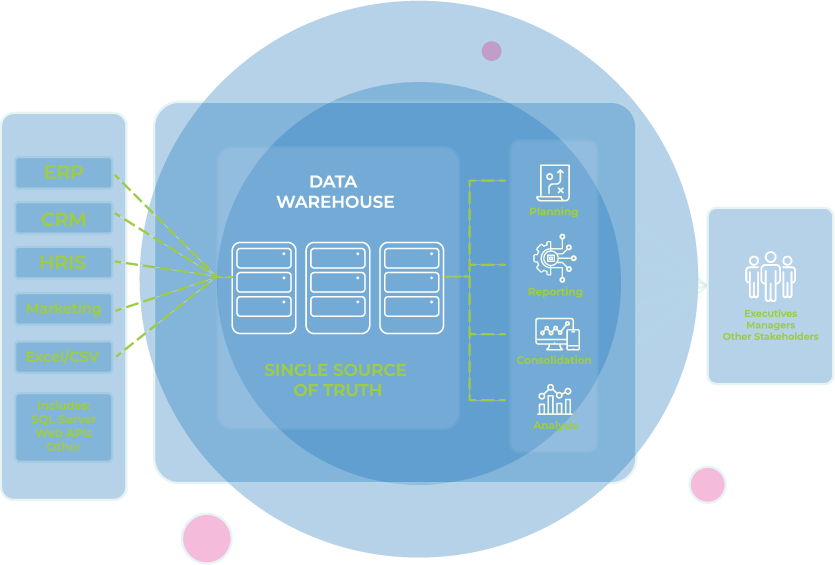
Combine Fabric data with ERP, CRM, and operational sources in Solver's data warehouse for one source of truth.
Driver-based planning
Build budgets and rolling forecasts on operational drivers from Fabric, such as product, region, or channel.
Scenario modeling
Model what-if scenarios and see the impact on your P&L, balance sheet, and cash flow before you commit.
Ai-accelerated insights
Solver Copilot's Analysis Agent surfaces trends and anomalies so teams spend less time searching for answers.
Fabric Centralizes Your Data.
Solver Puts It to Work.
Microsoft Fabric gives your organization one place to store, engineer, and analyze data in OneLake. But a governed data foundation does not build a budget, close the books, or explain a variance to the board. Finance teams still need tools designed for planning, reporting, and consolidation, with the controls those processes require.
Solver fills that gap. Connect Solver to Microsoft Fabric, and finance teams work directly from governed data in a familiar Excel interface. Workflow and approvals keep budget cycles on track, audit controls track every change, and drill-down lets reviewers trace any number back to its detail. Your data team keeps one foundation. Your finance team gets the planning and reporting layer it was missing.
Every Finance Workflow, Connected to Microsoft Fabric
Reporting, planning, consolidation, and analysis on one governed data foundation.
-
Financial Reporting
-
Income statement
-
Balance Sheet
-
Cash flow statement
-
GL and sub-ledger reports
-
Budget vs. actual variance reports
-
-
Budgeting and Planning
-
Annual budgets with version control
-
Rolling forecasts
-
Driver-based models
-
Top-down and bottom-up budgeting
- Departmental and personnel planning
-
-
Consolidation
-
Multi-company consolidation
-
Automatic currency translation
-
Intercompany eliminations
-
Multiple chart of accounts mapping
-
-
Analysis and Dashboards
-
KPI dashboards in Excel or Power BI
-
Trend and exception analysis
-
Scenario and version comparison
-
Ad-hoc self-service analysis
-
-
Operational Reporting
-
Sales and revenue reporting
-
Product, region, and channel analysis
-
Combined financial and operational reports
-
Scheduled report distribution
-
-
Industries We Serve
-
Construction: Job-cost budgeting and project forecasting
-
Nonprofit: Fund-based budgeting and grant planning
-
Manufacturing: Production cost and capacity planning
-
Distribution: Inventory and demand-driven forecasting
-
Retail: Store-level budgets and seasonal planning
-
Healthcare: Census-based forecasts and labor planning
-
Finance: Multi-entity budgets and capital planning
-
SaaS: ARR forecasting and headcount planning
-
Why Finance Teams Call Solver a Leader in FP&A
G2 users recognize Solver as a Leader for financial planning and analysis, with finance professionals across nonprofit, manufacturing, distribution, and dozens of other industries relying on it daily. Whether you're a mid-market team or a global enterprise, Solver gives you one platform to budget, report, consolidate, and analyze with confidence. Nycole Rosen, VP of Technology at BGSF, put it plainly: "Now, budget season is almost a breeze."
Solver for Microsoft Fabric | Frequently Asked Questions
-
What does the Solver Microsoft Fabric integration do?
The integration connects Solver to data in Microsoft Fabric so finance teams can plan, report, consolidate, and analyze on the same governed data their analytics teams use. Teams build reports and budget input forms in Solver's native Excel design experience and work from one source of truth instead of exporting data into disconnected spreadsheets.
-
How is Solver different from building finance reports in Power BI on Fabric?
Power BI excels at visualizing and exploring data. Solver adds the finance processes around it: budget input forms, workflow and approvals, unlimited budget versions, financial consolidation, and formatted financial statements. Teams that prefer Power BI can keep it, since Solver supports both Excel and Power BI dashboards for analysis.
-
Can Solver combine Microsoft Fabric data with other data sources?
Yes. Solver's data warehouse supports unlimited data sources, both on-premises and cloud. Combine Fabric data with ERP, CRM, payroll, and operational systems to report on financial and operational performance together. Data is organized with common business terminology, so finance users can build reports without knowing database table names.
-
Does Solver work with Business Central data in Microsoft Fabric?
Yes. If your organization brings Dynamics 365 Business Central data into Microsoft Fabric, Solver's Microsoft Fabric connector can bring it into Solver for financial reporting, budgeting, and forecasting. Organizations not using Fabric can connect Solver directly to Business Central through Solver's QuickStart integration.
-
Do I need Microsoft Fabric to use Solver?
No. Solver connects directly to ERPs including Acumatica, Dynamics 365 Business Central, Sage Intacct, Oracle NetSuite, and SAP Business One through QuickStart integrations. Microsoft Fabric is an option for organizations that already centralize their data in OneLake and want finance planning and reporting to run on that same foundation.
-
How does Solver Copilot help with Microsoft Fabric data?
Solver Copilot brings AI into planning and reporting. The Help Agent answers product questions instantly, and the Analysis Agent identifies trends, detects anomalies, and generates charts from data in Solver, including data sourced from Microsoft Fabric. Solver Copilot is built on OpenAI GPT within Microsoft Azure, user input never trains the model, and it is available in the United States.